Updated
Ask while the camper is still on your property: the morning they pull out, or the moment they're standing at your office window. Say it out loud, hand them a printed card with the review link and a QR code on it (the square barcode a phone camera reads), and put the same code where your wifi actually works. Then leave the wording, the timing and the reward out of it, because Google's review policy names all three.
Want this handled instead of DIY'd? See pricing and get a fixed-price quote.
I chose an inn outside Galena once, up a gravel road I'd have driven straight past. It wasn't the photos, though they were fine. What got me was that the owner had answered every single review on the page, including the ones that weren't fun to answer. I'll come back to her, because she's doing the half of this that starts after the review lands. First, the timing, because yours is harder than a salon's.
When to ask a camper for a review
A lot of review advice is written for a business that sees the same person again. A salon has them back in six weeks. The dentist has a file. You have somebody in site 14 who leaves Sunday morning and won't think about your park again until they're planning next summer, if they do.
So an email that arrives after they've left lands while they're unpacking and back at work. The weekend has already gone soft around the edges by then. The ask has to happen while they're still on your property and the coffee is still on the picnic table.
Two moments work, and both are on site.
The morning they leave. They're settled up and the trailer is hitched. Goodwill peaks right about there and it doesn't last long. If you have any kind of checkout, any moment where somebody hands over a key or lifts a gate, that's your moment: say something out loud, briefly, and hand them something printed. If nobody's at the gate in the morning, the card at the office window or the card with the wifi password does the same job.
When they're standing at your office window. Paying, or buying ice. If your park has no formal checkout, this is the window that matters, because it's the one predictable spot where a camper's face is in front of a staff member with a second free.
Send the automated email too. It's cheap and it picks up stragglers. Just don't let it be the whole plan.
What to do if your park has no cell service
Google's own tips for getting more reviews say you can ask customers to visit a Google link or scan a QR code. Both of those need a working phone, and some gates get no signal at all. If yours gets one bar on a good day, a QR code is a picture of a locked door.
If yours gets one bar on a good day, a QR code is a picture of a locked door.
Two cheap fixes.
Put the QR code where your wifi is. The office or the pavilion, wherever the signal actually lives. Printing it on the same small card as the wifi password is worth a look, because that card gets read by every guest, on arrival, when the phone still works.
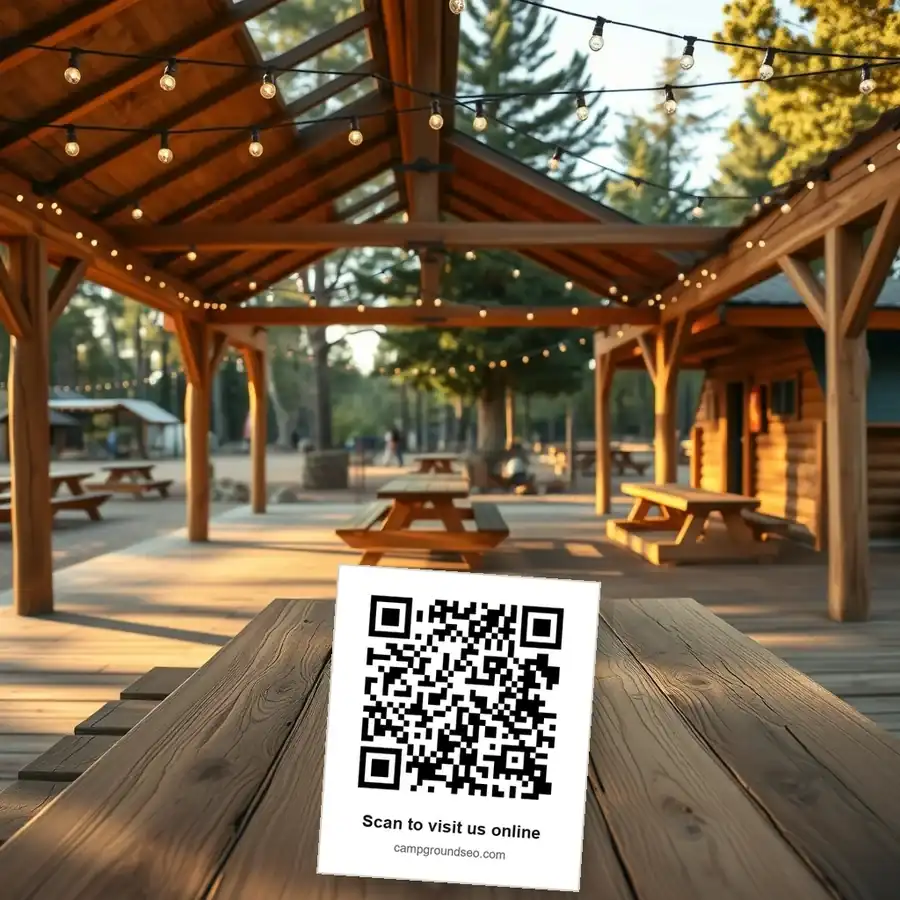
Then give them the link in a form they can type at home. Print it small enough to fit on a business card. Somebody who gets back to real service and finds that card in the cupholder will sometimes use it.
What I'd say
Short, plain, and from a person. Out loud beats a sign on the wall.
Notice what that doesn't do. It promises nothing in return and it doesn't hint at what the review should say. It also gets offered to the guest who looked annoyed at the dump station, in the same words, on the same morning.
What I'd never ask your staff to do
Four things, and they're all in Google's review policy for Maps, which is worth reading once in the off-season. Its summary of what a business may do is one line: ask for content that represents a genuine experience, without offering incentives. Everything below falls outside that line.
Don't offer anything in return. The policy names payment, discounts, and free goods or services in exchange for posting a review, and a free night is a free service.
Don't tell a guest what to mention. Asking somebody to talk about the lake sites puts your words in their review. The policy lists asking staff to solicit reviews that include specific content as something a business may not do. Ask for the review, leave the wording alone.
Don't give your staff a number to hit. Telling the front desk you want two hundred this season turns a favour into a quota, and asking staff to solicit a certain number of reviews is named in the same policy.
Don't ask only the guests who look happy. Screening people first and sending the pleased ones to Google is the one that feels harmless and isn't. Selectively soliciting positive reviews is on the list, and so is discouraging negative ones. Ask everyone, in the same words, at the same moment.
| The habit | What it looks like at a park | Where Google's policy puts it |
|---|---|---|
| Offering something in return | A free night, a firewood bundle, a draw entry | Incentives for posting a review: prohibited |
| Steering the wording | "Could you mention the lake sites?" | Soliciting reviews with specific content: prohibited |
| Setting a target | "Two hundred by Labour Day" | Staff soliciting a set number of reviews: prohibited |
| Asking only the happy ones | Quietly skipping the family that complained about the bathhouse | Selectively soliciting positive reviews: prohibited |
| Asking everyone, plainly | The same words, every checkout, no reward | Genuine experience, no incentive: allowed |
There's a fifth habit that isn't a rule so much as a rhythm. The same policy names unusual volumes or patterns of reviews that point to an effort to manipulate a rating. A season's worth of asking crammed into one week is that kind of pattern, even when every review in it is honest. Build the ask into the ordinary routine so a few arrive every week, including the shoulder weeks in September and October. A page where every review is dated the second week of July also reads as quiet in February, which is when next year's campers are looking.
How I'd answer them
Getting the reviews is half of it. Back to Galena, because what you do with them counts too. Her replies were calm and specific. One thanked a guest and named the rhubarb at breakfast. Another answered a complaint about the wifi honestly: she said the east room was their weak spot for signal, and that they'd put in a booster. I checked in late on a Thursday. The next morning there was rhubarb in the breakfast. When I mentioned I'd read about it she laughed and said guests don't bring up the reviews, they just show up. I told her I'd booked because of them, and she seemed surprised anyone had read that far.
That's a guest's view, and I should be straight about it. I'm not a campground operator and I won't pretend to be. But I was the one choosing where to stay, and the replies were what I read.
Google's advice on replies points the same direction: keep them short, simple and honest. Skip the identical thank-you on every review and spend the time where you can share an update or answer a question. On a fair complaint, its advice is to apologize where one is due and to address the reviewer by name. It also says to acknowledge your own mistakes without taking responsibility for what was outside your control. For a park, that means you own the broken shower head and not the rain on the long weekend. That innkeeper was doing all of that before anyone wrote it down for her.
Set aside a few minutes each week. The question about accessible sites, the complaint about the bathhouse, the guest who couldn't find the entrance in the dark: those are the ones worth your words.
If the QR code on that card doesn't reach every site, the wifi coverage guide covers extending the signal affordably. If your reviews are split across two listings, the two-listings guide covers the merge. If the rest of your listing needs a look alongside this, the independent campgrounds page covers that, and there's a separate approach for glamping and unique stays and for membership and seasonal parks. Or email hello@campgroundseo.com and ask. Christopher Ross, writing from Fort Erie, Ontario, for parks on both sides of the border.
Sources
Checked against Google help pages on 2026-09-21: Tips to get more reviews, Prohibited and restricted content, Manage customer reviews
Common questions
Does the guest need a Google account to leave a review?
Yes. Google's tips page says the customer must be signed in to a Google Account, and that one can be set up with a non-Gmail email address. So the couple with the older phone may need the office wifi and a minute, not just the code.
Where does the review link come from?
Your Business Profile. Google's tips page links to the steps for creating both the review link and a QR code, so you don't need a third-party code generator or a shortener.
Can I ask a guest to take down or change a bad review?
You can reply to it, and that's the honest route. Offering anything to get a review changed or removed is named alongside paying for reviews in Google's tips, so a discount for a second look at their star rating is out.
Do I have to reply to every review?
No. Two details from Google's help page on managing reviews are worth knowing, though. Your reply is checked against Google's content policies before it posts, and the guest is notified when you respond. A reply written in a temper reaches them.
Can I mention next year's rates or a deal in my reply?
Google's tips ask for replies that are conversational rather than promotional, and say not to use them to offer deals. Answer the question they asked and leave the marketing for your own site.
Canadian? The same three sizes in Canadian dollars are on the CAD pricing page.